Keeping cables and chargers organized can make a big difference in maintaining a tidy and efficient space. Whether you’re working from home, managing entertainment gadgets, or just want to keep your cords under control, organizing cables neatly helps prevent tangling, saves time, and reduces frustration. In this post, we’ll explore practical tips and solutions that anyone can use to organize cables and chargers easily.
Why Organizing Cables Matters
Before diving into the how-to, it’s worth understanding why organizing cables is beneficial:
– Reduces clutter: Messy cables can make any workspace or living area look chaotic.
– Prevents damage: Tangled cords can lead to fraying or broken wires over time.
– Saves time: Finding the right charger or cable is quicker when everything is orderly.
– Increases safety: Loose cables can be tripping hazards or create fire risks.
Now, let’s explore some practical ways to bring order to your cables.
Step 1: Gather and Sort Your Cables
Start by collecting all the cables and chargers around your space. This might include phone chargers, HDMI cables, USB cords, power strips, and more.
Sort by Type and Usage
– Separate cables by their purpose: phone chargers, computer cables, audio cables, etc.
– Group cables based on frequency of use: daily, occasional, or rare.
– Discard any damaged or obsolete cables to reduce clutter.
Sorting helps you understand what you have and plan your storage accordingly.
Step 2: Label Your Cables
Labeling cables makes it easier to identify which cable belongs to which device.
Simple Labeling Methods
– Use masking tape or small adhesive labels and write the device name.
– Purchase pre-made cable labels or color-coded tags.
– Use a label maker for a clean, consistent look.
Labeling is especially helpful if you keep multiple similar cables, like USB chargers.
Step 3: Choose Cable Management Tools
There are many affordable and easy-to-use tools to help organize cables neatly.
Popular Options Include:
– Cable ties: Velcro or reusable zip ties help bundle cables together.
– Cable clips: Stick-on clips hold cables along walls or desks, preventing tangling.
– Cable sleeves: These wrap multiple cables into one neat bundle.
– Cord organizers: Boxes or pouches designed to hold cables and chargers.
– Cable winders: Small devices to wrap excess cable length.
Step 4: Organize by Storage Location
Think about where your cables and chargers will be stored and used most often.
Desk or Workstation
– Use cable clips and sleeves to route cables along your desk edges.
– Place chargers in a dedicated drawer or container near your workspace.
– Keep frequently used cables easily accessible, while storing others away.
Entertainment Area
– Bundle cables behind TVs or speakers using clips or sleeves.
– Use cable management boxes to keep power strips and excess cables hidden.
Travel and On-the-Go
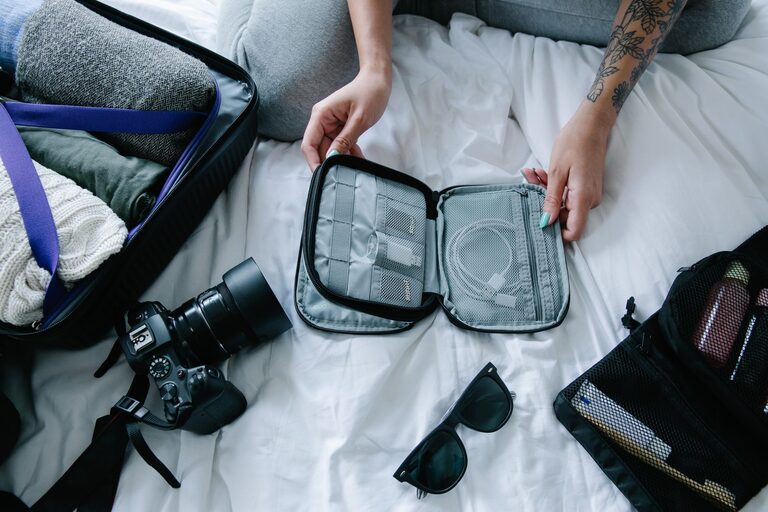
– Use compact cable organizers or pouches to keep cords untangled.
– Wrap cables neatly with reusable ties to avoid knots.
Step 5: Manage Excess Cable Length
Too much cable length can cause tangles and clutter.
Tips to Manage Length
– Use cable winders or wrap cables in figure-eight patterns.
– Coil cables loosely and secure with Velcro ties.
– Avoid tight wraps which can damage cables over time.
Step 6: Maintain Your Cable Organization
Keeping cables neat is an ongoing task.
– Set a routine to check your cables every few months.
– Replace labels if they wear off.
– Regularly remove cables you no longer use.
Additional Tips for Cable Organization
– Use multi-port charging stations to minimize the number of individual chargers.
– Choose wireless accessories when possible to reduce cable clutter.
– Install a charging station in common areas to keep devices and cables centralized.
Final Thoughts
Organizing cables and chargers doesn’t have to be overwhelming. With a little sorting, labeling, and the right tools, you can create a clutter-free environment that’s easier to navigate. A neat cable setup not only looks better but also helps you take care of your devices and saves time finding the right charger when you need it most.
Try these tips today and enjoy a tidier, more organized space!